
System health & capacity
CPU, ASP and disk utilisation, retained trends and collection freshness for the selected IBM i.
Operations overviewSystem health, workload, operator messages and AI-assisted investigation. PowerSight A/i connects the operational picture with the evidence your IBM i team needs.
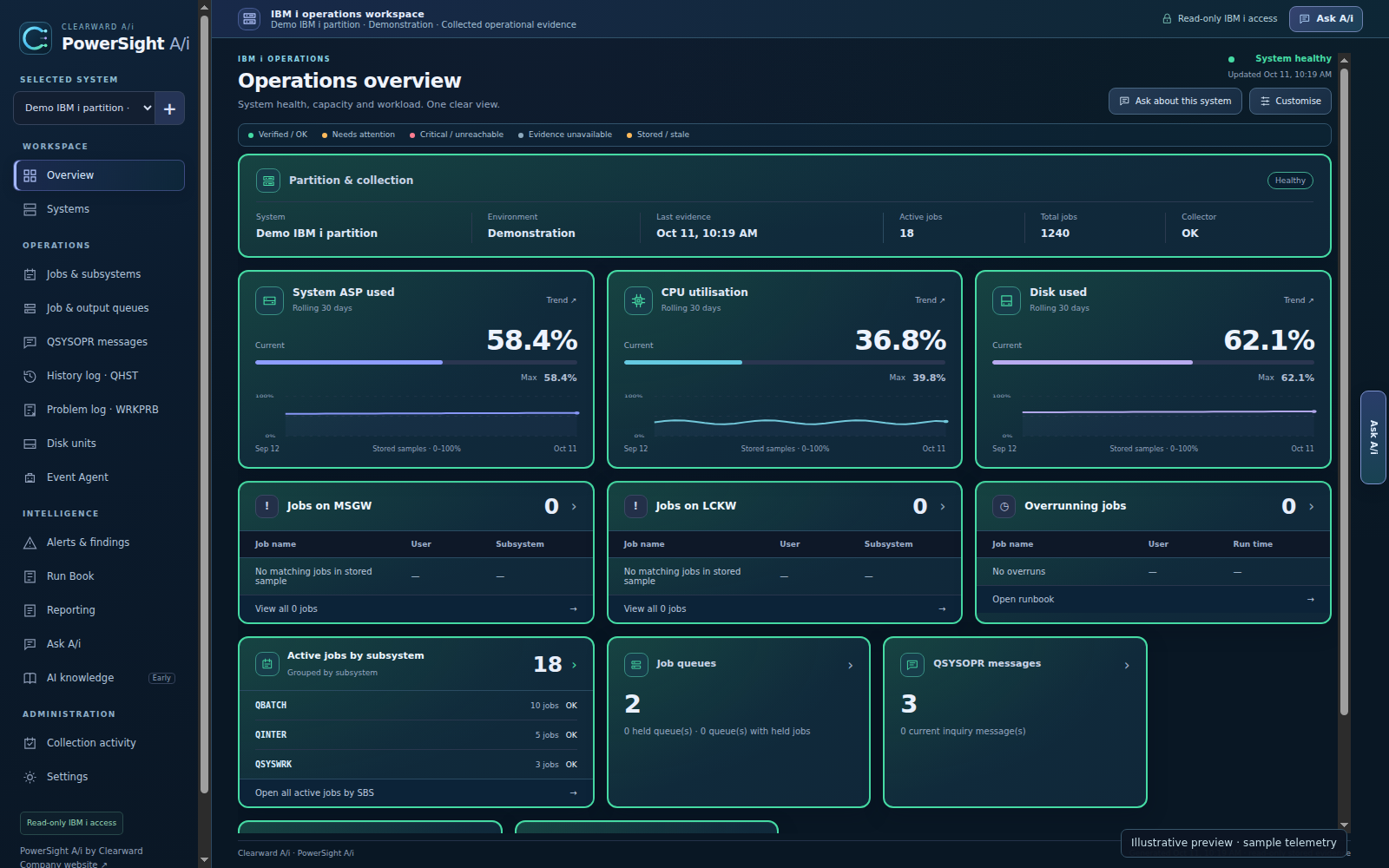
Healthy-system preview · sample telemetryIllustrative product preview
Health, workload, capacity and operator messages — connected to the evidence underneath.
CPU, ASP and disk utilisation, retained trends and collection freshness for the selected IBM i.
Operations overviewSubsystem workloads, MSGW and LCKW, job queues and output queues with linked evidence.
Jobs & waitsSearch collected QSYSOPR and QHST messages by time, severity, message ID or text.
Operator messagesIndividual findings, affected resources and collection state to help you prioritise your review.
Operational attentionDiscovered schedules, observed run history, verified durations and overrun evidence.
Job runbookDisk units, resource identities, hardware status and capacity evidence in context.
Storage & capacity
Start with a concise view of health and exceptions. Follow the selected system into messages, jobs, queues and history without losing the context of your investigation.
Search and filter collected IBM i messages by time, severity, message ID and text.
MSGW, LCKW and overruns remain distinct, with the affected jobs and resources within reach.
Collection health and stored timestamps make the age of the operational picture visible.
Ask about the selected system or explore a general IBM i question. PowerSight connects collected evidence with technical knowledge to help explain what you are seeing and where to investigate next.
Exact operational facts use deterministic evidence where available. Answer information and sources stay accessible.
Explore IBM i operations, Db2 for i SQL, CL guidance, workload and capacity in the same workspace.
Ask A/i is advisory and read-only. Answers depend on the available evidence; missing measurements remain missing.
Meet Ask A/i
Bring system evidence, findings and explanation together in a branded PDF. Choose the report you need and the level of A/i explanation that suits your audience.

Evidence-dependent reports are labelled Partial when authoritative data, history or verification is unavailable.
Explore the PowerSight interface with sample telemetry, from the first system overview to job-level investigation and scheduled work. Select any screen to take a closer look.
Operations overview Sample telemetry Jobs & subsystems Sample telemetry
 Job runbook Sample telemetry
 Storage & capacity Sample telemetry
Illustrative preview · sample telemetry. The product tour explains current capability and rollout limitations for each workspace.
PowerSight is designed to run within the customer environment. IBM i credentials, collected evidence and operational authority stay local, with a privacy broker controlling the context sent for cloud AI explanation.
The local privacy broker minimises conversational context, tokenises or redacts sensitive identifiers and blocks raw log exports and full SQL result dumps by default. The local token map restores readable identifiers after the response.
Cloud AI uses the managed Cloudflare One / WARP / Gateway egress path and Cloudflare Workers AI. Evidence, rules and retrieval remain in PowerSight. Ask A/i is advisory and cannot end jobs, reply to inquiry messages, apply PTFs or run recovery actions.
Evidence stays local. Context travels with care.
Explore the current product or talk to Clearward about your IBM i environment, operational priorities and a controlled pilot.